


I’m Sensing a Theme
This week is all about themes! I need to research themes, and I need to port my platform/hosting information from my Word doc into my blog. I’m not sure which of those things to do first? Do I implement the new theme before I get more content on the site, or get content on the site and worry about installing the new theme later? Maybe spending some time on training via the support portal on my hosting site would give me some insight?
Okay, I’ve checked out the support portal and it looks to me like my time would be better spent finding and installing my new theme. I’m dragging my feet a bit about that because it seems daunting, but after reading through the support documents it doesn’t seem that bad. We’ll see…
Themes and templates are terms often used interchangeably when it comes to WordPress. Whatever blogging platform you go with will provide some themes for you to choose from, but you can also import themes from other makers. One purveyor of WordPress themes that I’ve often seen recommended is themeforest. They offer lots to choose from, and you can search on keywords and filter the results to narrow your focus. When it comes to choosing a theme or template, you’re mostly choosing layout, functionality, fonts, style and color, though often fonts and colors can be changed. It’s important to know what version of WordPress you’re running on your platform before purchasing a theme so you can purchase one compatible with your version. I’m running 5.9, the most up to date version (as of today), but lots of themes out there right now aren’t compatible with that version.
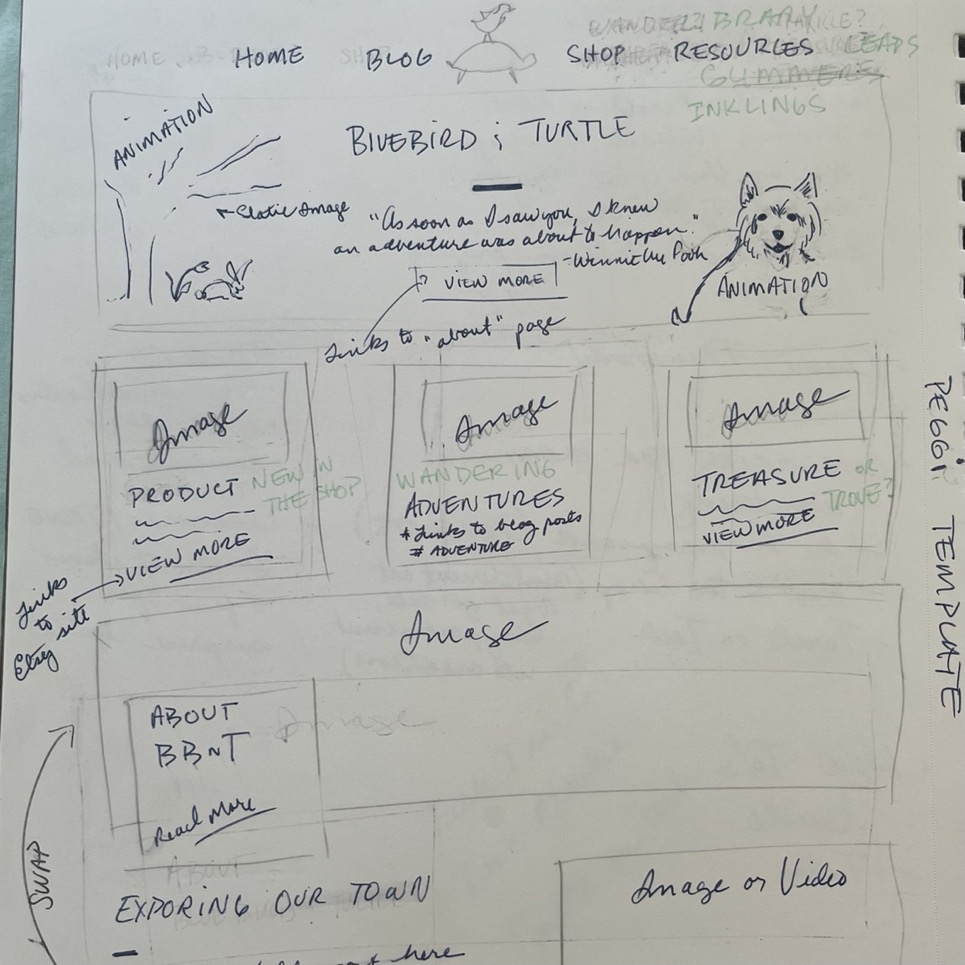
There are a few themes that have made it to my short list, but at the moment my top choice is a kids theme by QodeInteractive. I think the esthetic works well with my desire for whimsy and my chosen illustration style. I’ve loosely drawn out how I think the template can work for my content, which helped a lot. Progress!
Photo courtesy of Bluebird


